
Time and the capacity to use data and understand it is at the essence of making data-driven decisions in classrooms and schools (Rhoads, 2019; Mandinach 2012, U.S Department of Education, 2010). In my research and researchers focusing on data literacy for educators, time has always been the number one issue for educators to use data to make decisions as well as learning and practicing data literacy skills. Yet, with what we are going to talk about today, I believe that this can change by leaps and bounds.
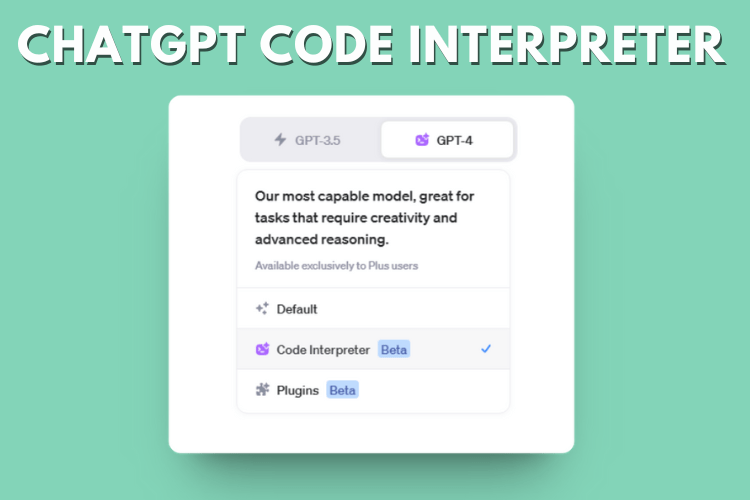
Ultimately, as the world of education becomes increasingly data-driven, teachers and school leaders face the daunting task of learning how to effectively analyze and apply this data. The role of technology software in gathering, transforming, and visualizing data is no longer optional—it’s a necessity as our classrooms and schools are collecting immense amounts of data that can be utilized to support student learning. But how can we bridge the gap between the data we have and the insights we need in a quick and efficient manner? Enter Code Interpreter, a revolutionary tool that’s changing the way we approach data in education. Let’s discuss how it can be utilized to support data-driven decision-making as I believe it can solve many of the time and capacity issues facing teachers and school leaders in using data to make important decisions for students and school systems.
Note: For information related to my research into data literacy, please check out my study and its summary found here.
Data is Everywhere in Classrooms and Schools
Data for teachers and school leaders can be drawn from various avenues such as the school’s Student Information System, Learning Management System, and EdTech tools. Many of these tools provide opportunities within themselves to review the data they collect in the form of visualizations and dashboards. Yet, these tools do not provide in-depth analysis that can help teachers and school leaders make data and evidence-informed decisions to the best of their abilities. As a result, the data will need to be extracted, cleaned, and further analysis will need to take place to see deeper insights as to what the data is telling us as well as how it may relate to other strands of data we’ve collected. For example, take test scores, student SEL surveys, and attendance data from a period of time. What we can now do is easily place those data points onto a single Excel file to be analyzed by Code Interpreter to see if any relationships may exist. With this said the goal of this blog is to demonstrate how this can be done by teachers and school leaders as they begin harnessing this tool to support them in their data-driven decision-making.
Step-by-Step Process of Using Code Interpreter
Now, we will discuss its major features in supporting educators in making data-driven decisions. First, we will discuss the process of how it can be used. Secondly, we will outline how it can conduct important data preparation and analysis steps for us in order for the results to be computed in a way that is understandable during analysis as well as to stakeholders. Third, we will go into further applications of Code Interpreter that can be utilized by teachers and school leaders. Let’s get started!
Important Facets Code Interpreter Can Do Essential to the Data-Driven Process
Before discussing how to use Code Interpreter in a step-by-step process, we want to cover some important facets it can do in the data-driven process: Clean Data, Statistical Analysis, Visualizations, and Articulate Data Findings to Stakeholders. All of these facets are critical when utilizing Code Interpreter and conducting any form of data analysis.
Cleans Data
One of the major hurdles in data analysis is data cleaning, a time-consuming but critical process to ensure accurate results. Code Interpreter can automate this process, identifying errors, inconsistencies, and outliers in raw data. With its robust data cleansing capabilities, Code Interpreter can streamline this often laborious task, leaving more time for interpretation and decision-making.
Note: This video illustrates how Code Interpreter cleans data. Cleaning data is super important in order to have valid results from a data set you are working with.
Conducts Detailed Statistical Analysis with a High Degree of Accuracy
Beyond cleaning data, Code Interpreter shines in its ability to conduct detailed statistical analysis. It can handle a wide variety of statistical techniques and tests, delivering a high degree of accuracy. Even complex data practices, often daunting for non-expert users, become more accessible and understandable with GPT-4’s intelligent interpretation and simplification of statistical outputs.
Visualizes the Data Based On the Statistical Outputs You Desire
Visualizing data is a key element in understanding and communicating complex information. GPT-4 Code Interpreter can assist in creating visually engaging and informative graphs, charts, and dashboards based on the statistical outputs you need. This automated visual representation of data can support data-driven decision-making by making the findings more tangible and accessible.
Note: Below is an example of a visualization of data produced by Code Interpreter

Articulates the Data to be Presented to Stakeholders
Another challenge that Code Interpreter addresses is the communication of data insights. Often, complex statistical analyses can be difficult to convey to stakeholders in a clear, understandable manner. Code Interpreter can summarize complex findings, generate reports, and even make predictions based on the data, making it easier for stakeholders to understand and apply these insights in decision-making.
Example in Action – Using Code Interpreter for Educational Data Analysis
Let’s focus on the example we provided at the beginning of this blog post. It focuses on reviewing test scores, student SEL surveys, and attendance data. We will now walk you through the steps of how to use Code Interpreter to dive into this data and analyze it. This will be a four-step process, which can take between five and then minutes to complete.
Step 1: Gathering the Data
Your first task involves gathering your data from various sources – this could be test scores, student Social-Emotional Learning (SEL) surveys, and attendance data. Let’s say for this example that the test scores, the SEL survey, and attendance data are for the entire 2022-2023 school year. The assessment scores for an elementary school are from the most recent state-wide summative assessment given. Data can be collected from the student information system, the state’s assessment database, and the survey provided to students on a local Google Form. This may be the most time-consuming step of the process as sometimes data extraction features are hard to find and selecting data to extract may also take time as well.
Note: Below is a video example demonstrating how to export data from I-Ready Onto an Excel File.
Step 2: Organizing the Data in an Excel File
Once collected, arrange all these data points on a single Excel spreadsheet. You might have columns for the grade levels, test scores, survey responses, and attendance records. Make sure your data is clean, accurate, and organized coherently for the best results. What an educator can do is copy and paste the columns from each of the extracted data sources onto a single spreadsheet. Then, they can prompt after uploading the data to Code Interpreter to clean the data (more on that later).
Note: This video demos how to combine data from multiple data sets in four ways using Excel.
Step 3: Importing Your Data into Code Interpreter
Now it’s time to engage with the Code Interpreter. To do this, you’ll need to import your Excel file into the platform. In most cases, this is as simple as clicking the “Upload” button and selecting your file.
Step 4: Prompting the Code Interpreter to Conduct Descriptive Statistics
Start with some basic analysis. For descriptive statistics, you might instruct the Code Interpreter to compute measures such as the mean, median, or standard deviation for your various data columns.
Note: Before moving into statistical prompts to ask Code Interpreter, be sure to prompt Code Interpreter to Clean the Data. For example, prompt Code Interpreter to clean the data and organize it for analysis, which it will then conduct for you.
To do this, you could input something like:
“Compute the mean, median, and standard deviation for the ‘Test Scores’ column.”
The Code Interpreter will then return the requested statistical measures.
What’s great is that it can provide easy-to-understand results. You can further review and question the results as well. Additionally, in this same instance, prompting it to visualize these results into graphs is another important feature, which can help in the data articulation piece for when it’s presented formally to other educators and stakeholders.
Step 5: Conducting Multivariate Analysis
For a more in-depth understanding, you can instruct the Code Interpreter to conduct multivariate statistical analyses. For example, you might want to find out if there’s a correlation between attendance and test scores.
To do this, you could input something like:
“Calculate the correlation between ‘Attendance’ and ‘Test Scores’ columns.”
The Code Interpreter will return the correlation coefficient, providing insight into the relationship between these variables.
Step 6: Interpreting the Results
Code Interpreter not only conducts the analysis but also provides a simplified interpretation of the results. This is a vital step to help you understand and apply the insights from the data to your decision-making process. As with descriptive statistics, you can further prompt it to dive deeper into the analysis or ask it to provide graphs to visualize the data.
Note: Below includes a video demoing Code Interpreter a wide variety of ways that follows this protocol.
Further Applications
Code Interpreter isn’t limited to basic data analysis—it’s a versatile tool with a multitude of applications that can revolutionize the way we engage with data in education. Let’s explore some of the ways in which this advanced tool can assist teachers and school leaders beyond basic statistical analysis:
- Facilitating Data Dialogues: The Code Interpreter can serve as a valuable assistant in data dialogues, aiding in both data cleaning and providing alternate perspectives in analysis. It can efficiently present various statistical outputs, offering multiple ways to interpret the data and stimulate insightful conversations among educators.
- Developing Action Plans: With its ability to produce comprehensive reports and detailed analyses, the Code Interpreter can facilitate the development of data-driven action plans. By linking analyzed data to practical steps, it can help formulate action plans tailored to improve student outcomes.
- Improving Instruction: The Interpreter’s analysis can uncover patterns and trends that are invaluable for informing instructional strategies. By linking data findings with recommendations for instruction, it allows educators to make data-informed decisions that directly impact classroom practices.
- Enhancing Processes: Beyond the classroom, the Code Interpreter can also support the optimization of broader school processes. For instance, patterns in attendance data can inform changes in scheduling or student support services.
- Predictive Analysis: The Code Interpreter’s predictive analysis capabilities can help forecast future trends, enabling proactive planning. For instance, it could predict future test scores based on current student performance and engagement metrics.
- Personalized Learning: The Code Interpreter can help tailor educational experiences to individual student needs. By analyzing data at the student level, it can inform personalized learning plans to cater to each student’s unique strengths and areas for improvement.
Conclusion and Data Literacy Skills Needed to Be Effective Using Code Interpreter
We’ve embarked on a journey today, exploring the potential of the Code Interpreter in transforming educational practices through effective data analysis within classrooms and schools. By harnessing the power of this tool, we can redefine how we approach data, decision-making, and action in our educational spaces to improve our instruction and school systems for our students, faculty, and community.
However, as we navigate this digital landscape, it’s important to remember that tools like the Code Interpreter are most effective when coupled with our own data literacy skills. As teachers and school leaders, enhancing our understanding of data management and analysis will be instrumental in maximizing the benefits of these technological advancements.
This includes the ability to merge and transform data on spreadsheets, and the knowledge of single and multivariate statistical analysis. A strong foundation in these areas not only amplifies our ability to use tools like the Code Interpreter but also empowers us to question, interpret, and apply data insights in meaningful and impactful ways.
While this may seem like a daunting task, take heart in the knowledge that the digital age brings with it a wealth of resources to help build these skills. Online courses, webinars, workshops, and even integrated tutorials within tools like the Code Interpreter are at your fingertips, ready to help you embark on this exciting learning journey. For those who want to practice, Kaggle provides datasets from many different industries. It’s a great way to practice as the datasets come pre-packaged and are easy to work with as you get started with using Code Interpreter.
So, let’s take this as a hopeful invitation to embrace the future of data in education. The road ahead is full of opportunities for growth, innovation, and enhanced understanding, all aimed at one noble goal – the betterment of our educational environments. Together, equipped with our growing data literacy skills and the powerful Code Interpreter, let’s step forward into this exciting future.
References
Mandinach, E. B. (2012). A perfect time for data use: Using data-driven decision-making to
inform practice. Educational psychologist, 47(2), 71-85.
U.S. Department of Education. (2010). Use of education data at the local level: From
accountability to instructional improvement. Office of Planning, Evaluation, and Policy
Development. Washington, DC: U.S. Retrieved from https://www2.ed.gov/rschstat/eval/tech/use-of-education-data/use-of-education-data.pdf
 Navigating the Present and Future of Education
2 thoughts on “Data-Driven Decision Making in Classrooms and Schools is Easier Than Ever Before with GPT-4 Code Interpreter”